Coming soon to iPhone
A little more clarity. A lot more control.
Meet Elliue, your everyday financial companion. Track spending, stay ahead of bills, understand your habits, and make decisions with confidence.
In development. Not yet on the App Store.
Your money. Your decisions.
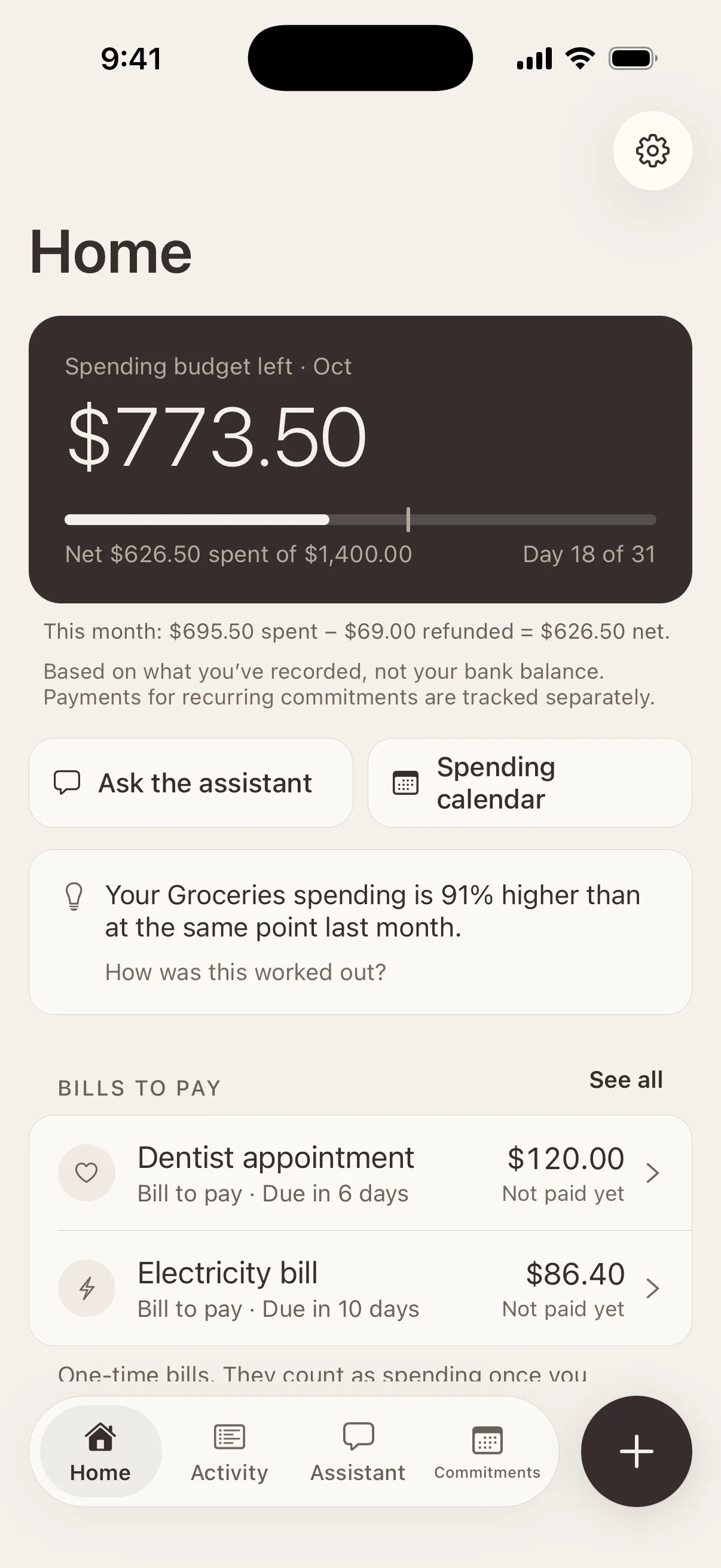
Elliue helps you see where your money goes and what’s coming up. It doesn’t move money, connect to your bank or decide for you. You stay in charge; it keeps the picture clear.
Record
Write it the way you’d say it.
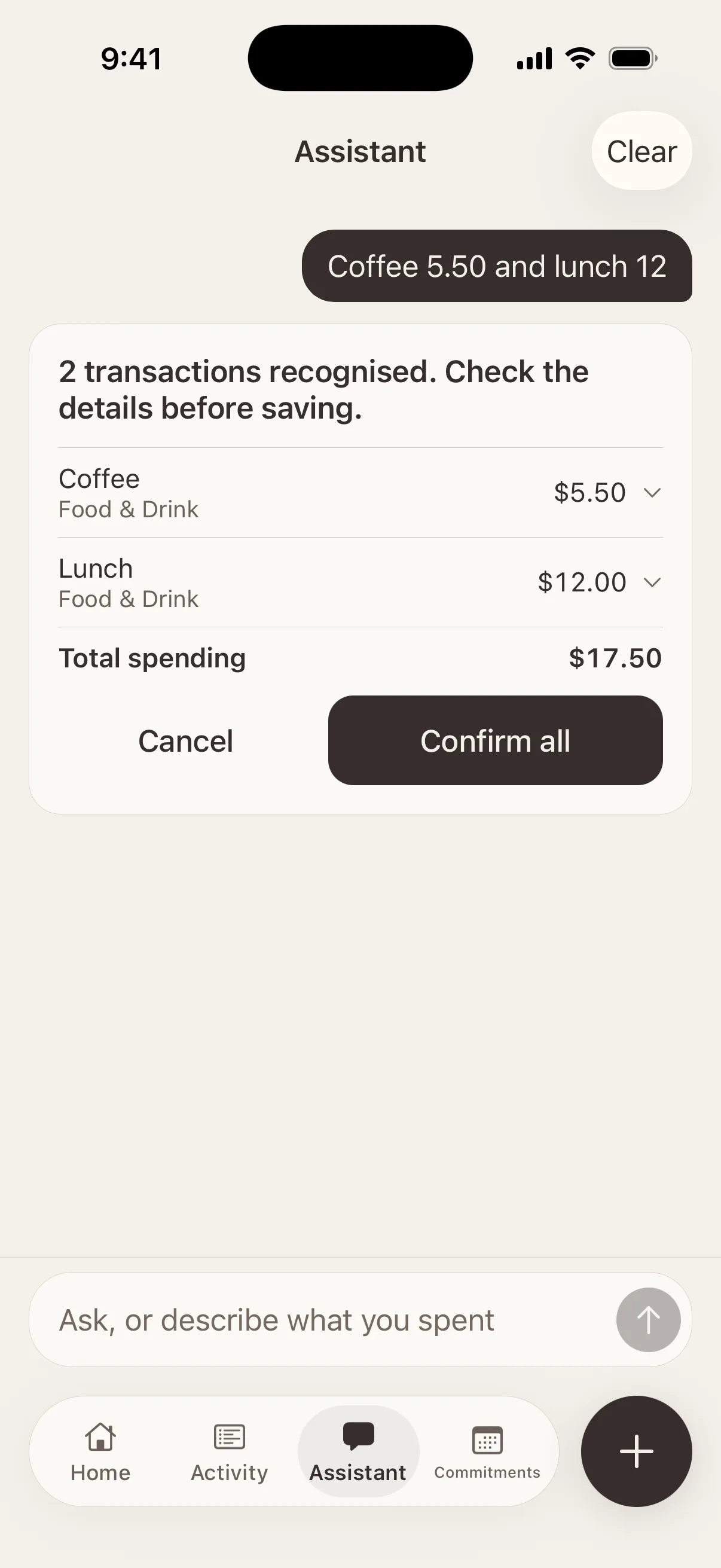
Type “Coffee 5.50 and lunch 12” and Elliue turns it into two entries, with categories suggested, for you to check before anything is saved.
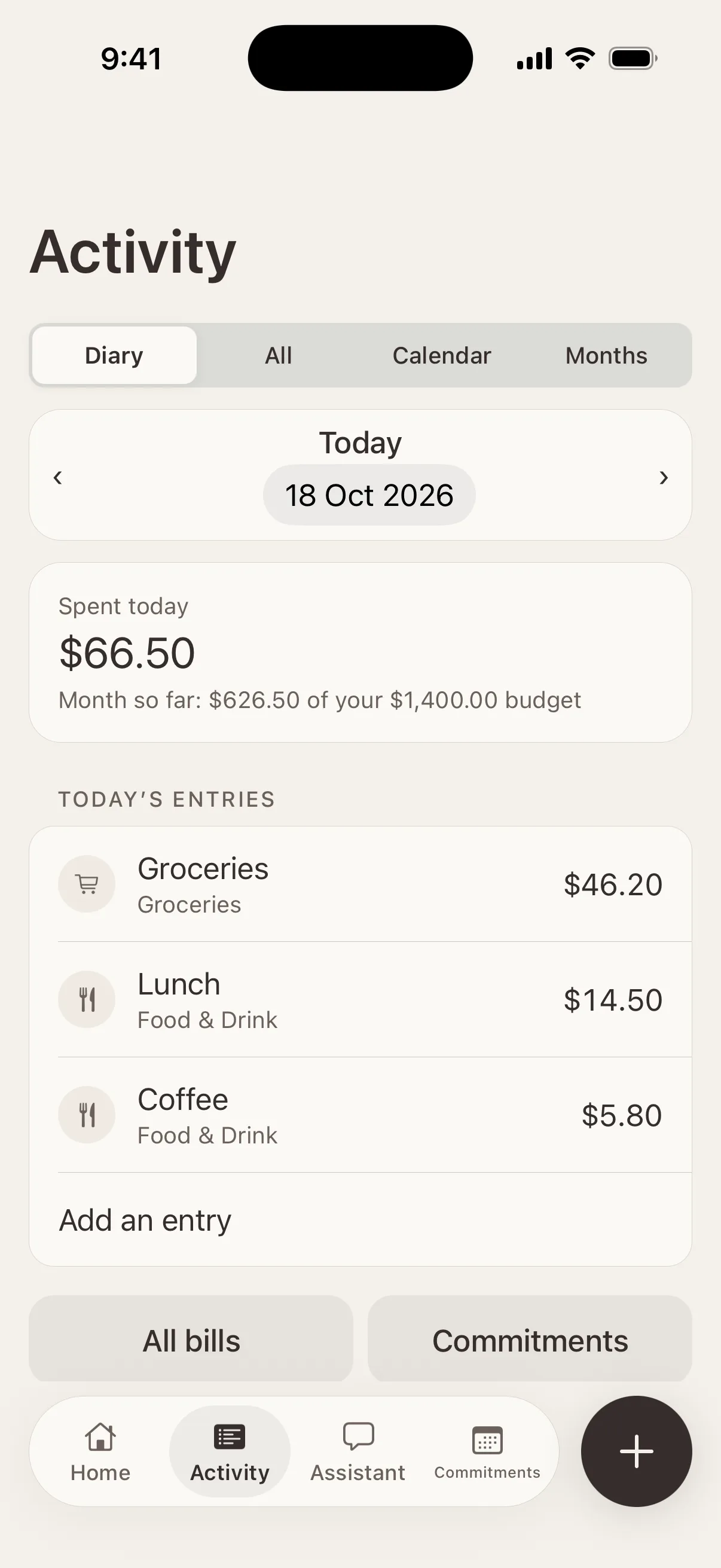
Each day opens as a fresh page in your diary, like a food diary for money: what you spent today, and how the month is going against your budget.
- Several entries in one sentence
- Expenses, income and refunds
- Other currencies kept as entered, and converted only with a rate you give
Understand
See the shape of your month.
Your budget, your history and what’s coming up, side by side. Every figure is worked out from what you’ve recorded, not from your bank balance, and Elliue says so wherever it matters.
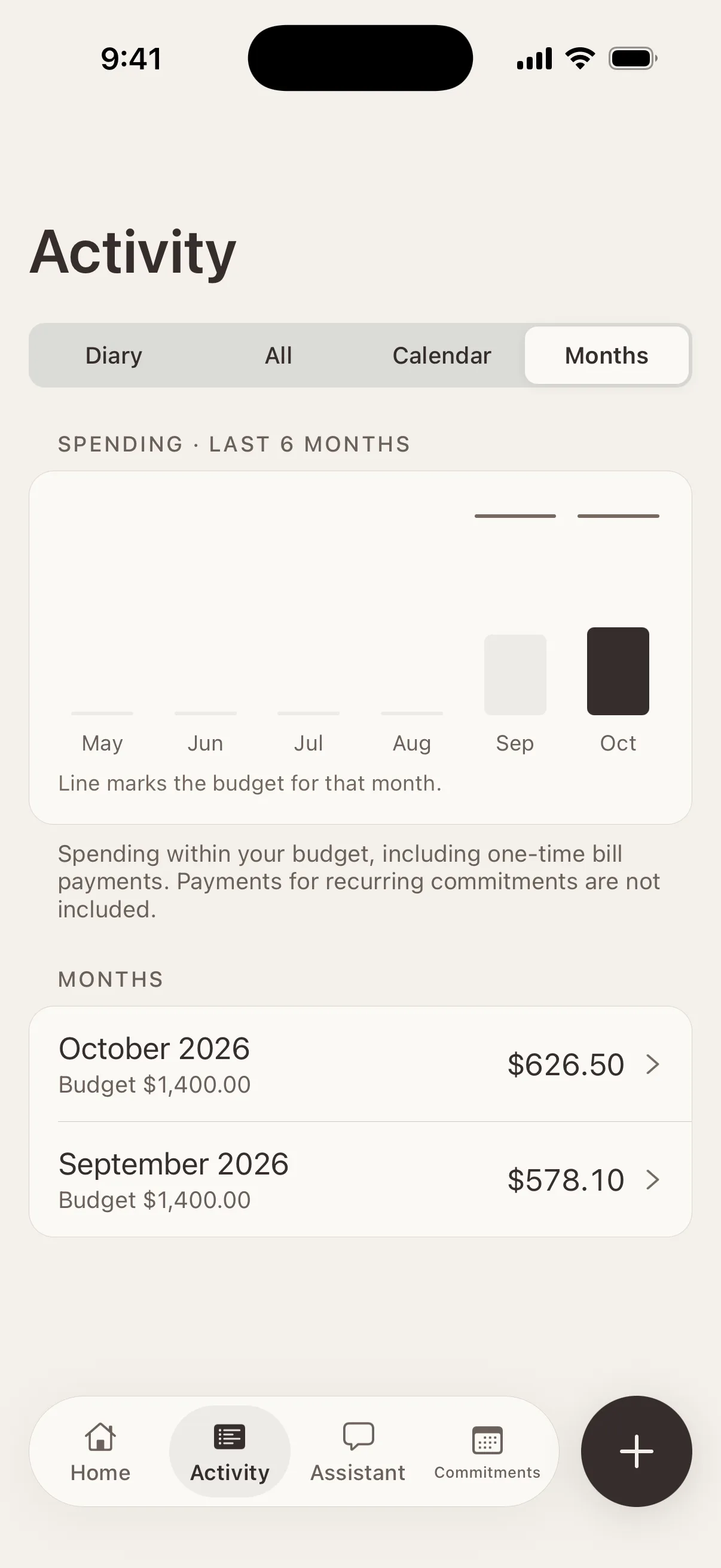
Monthly budget
What’s left, what’s spent and how far through the month you are, with refunds shown separately.
Transaction history
Every entry in one list. Search descriptions and notes, and filter by type.
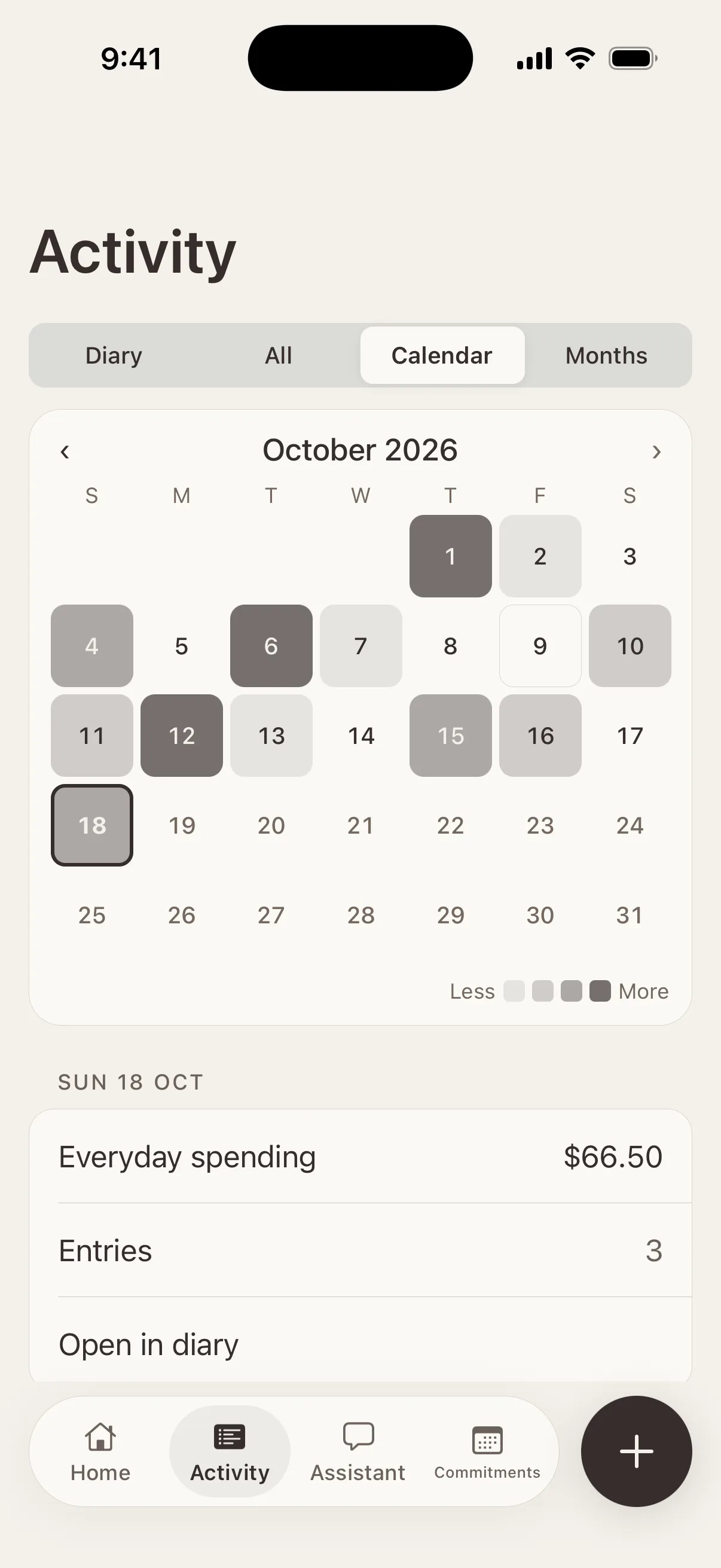
Spending calendar
Each day shaded by how much you spent, so busy days stand out at a glance.
Month by month
Each month’s spending against its budget, with a breakdown by category.
Categories
Where the money went, and how a category compares with the same point last month.
Upcoming bills
What still needs paying, and when, right on the Home screen.
Decide
Ask, and see the working.
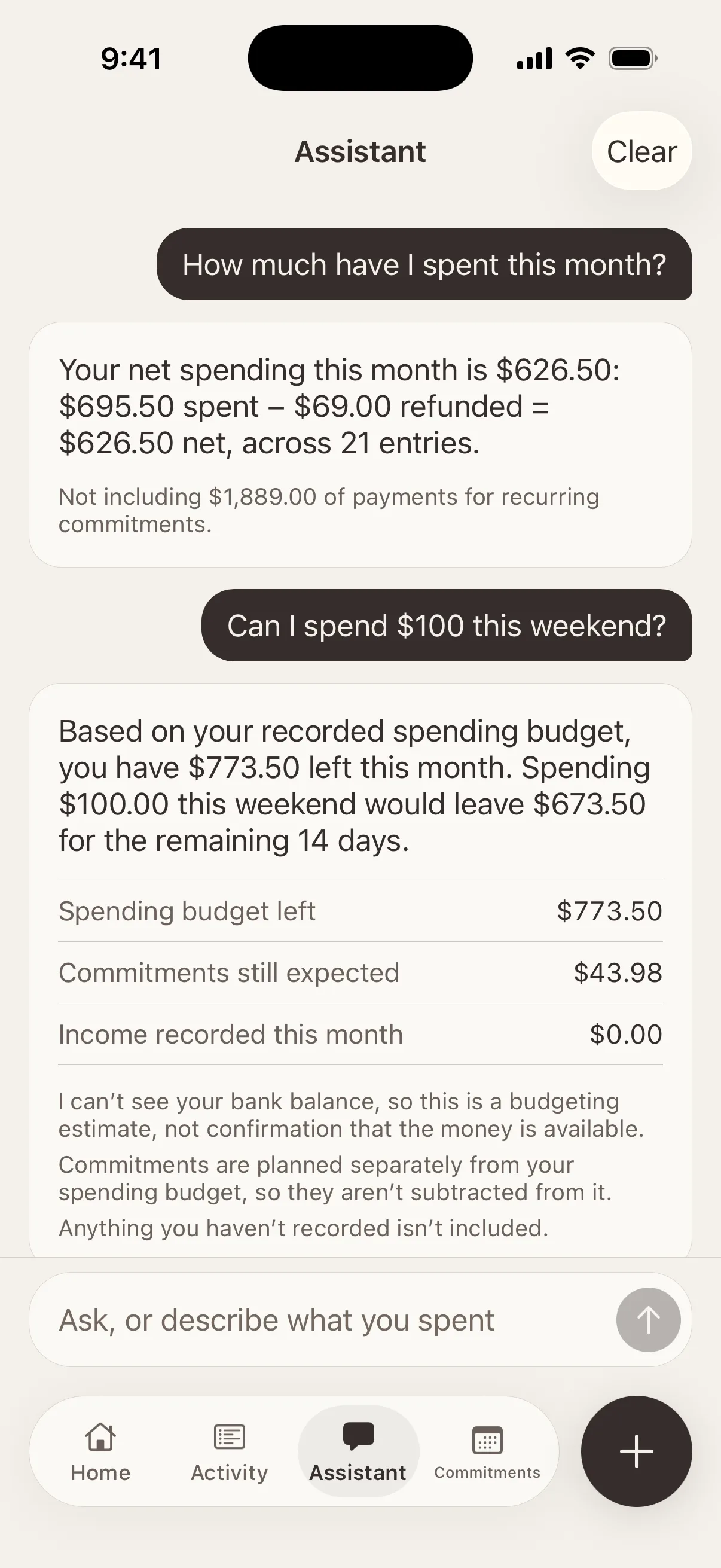
The Assistant answers a set of supported questions about the money you’ve recorded, and shows how it reached each answer.
- “How much have I spent this month?”
- “Can I spend $100 this weekend?”
- “What subscriptions do I have?”
- “Which bills are still to pay?”
- “How does this month compare with last month?”
- It works on your iPhone and understands a defined set of questions. It isn’t an open-ended chatbot.
- It can’t see your bank balance, so its answers are budgeting estimates, not confirmation that money is available.
- It can suggest changes, but nothing is saved until you confirm.
- It helps you think things through; it doesn’t give financial advice.
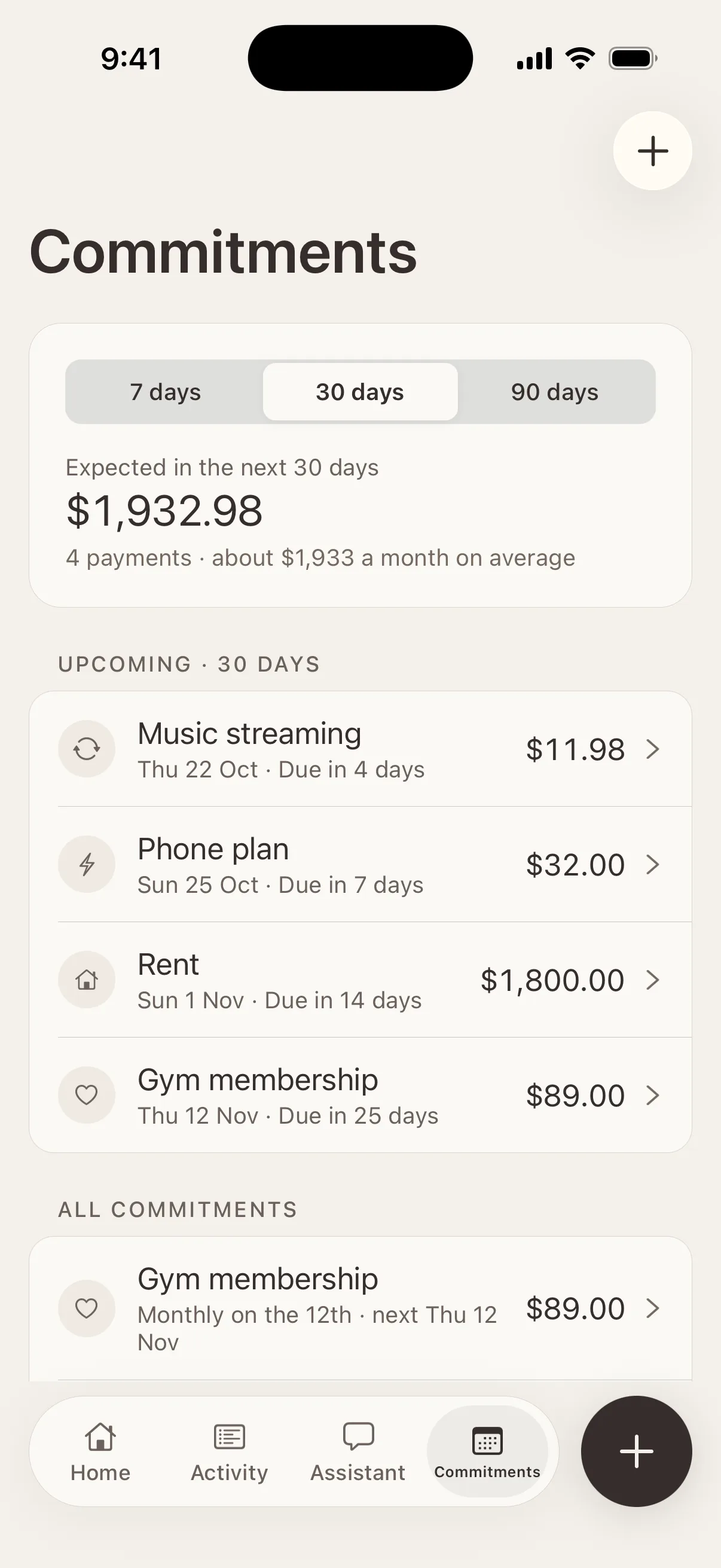
Commitments
What’s planned, kept apart from what’s spent.
Rent, subscriptions and other regular payments are commitments. Elliue forecasts when they’re due, and a payment counts only once you record it. They’re planned separately from your everyday budget, so nothing is counted twice.
One-time bills, like a dentist appointment or this month’s electricity, wait in Bills to pay. An unpaid bill isn’t spending yet. When you pay it, the payment goes into your diary and counts toward your budget.
- Optional reminders before a payment is due, scheduled on your iPhone. The lock screen hides names and amounts unless you choose to show them.
- Mark a commitment to keep, review later or plan to cancel. These labels are for your own planning; Elliue never contacts providers or stops payments.
Privacy
Private by design.
Elliue is local-first: what you record is stored in the app on your iPhone. There’s no Elliue server that holds your financial data.
No account, no server
There’s nothing to sign up for. The app doesn’t send your financial information anywhere.
No bank connections
No bank logins, card numbers or automatic imports. You record what you choose to.
No cloud AI
The Assistant runs on your iPhone. No AI service is connected in this version.
No tracking
No analytics, advertising or tracking code in the app.
Protected on your iPhone
The app asks iOS for its strongest file protection, hides its screen in the app switcher and offers an optional Face ID lock.
Your copies, your control
Like most apps, its data is included in your iCloud or computer backups. Export everything as JSON or CSV, or delete it all, whenever you like.
Coming soon to iPhone.
Elliue is still being built and tested, and isn’t on the App Store yet. Have a question in the meantime? Get in touch.